


JD Sports: Shoes & sneakers
4.0791.00 Reviews
App Specs
- Version
- 5.11.0
- Updated On
- License
- Free
- Downloads
- 500,000+
- Developer
- JD Sports Fashion PLC
- Categories
- Shopping
- Platform
- Android
Screenshots

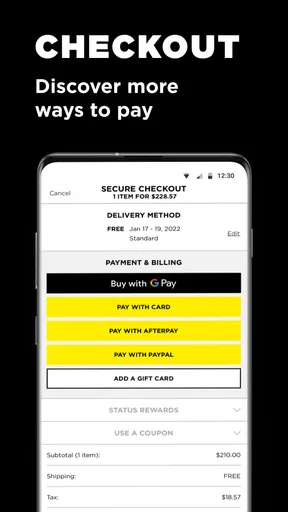
 Analysis by AppCompare
I found JD Sports: Shoes & sneakers most useful when I already knew what I wanted to shop for but wanted a quicker way to browse the retailer’s footwear and workout clothing range. It is a free shopping app from JD Sports Fashion PLC, aimed at people who care about basketball sneakers, everyday trainers, sportswear, and limited or exclusive releases. My overall impression is positive, although it works best as a focused retail companion rather than as a complete replacement for every other way of shopping.
The app has a straightforward purpose: bring JD Sports’ catalogue and rewards experience to a phone. That sounds simple, but the difference between a useful shopping app and an annoying one is usually in the small moments—how quickly I can reach a product, how easy it is to compare options, and whether the app remains comfortable when I am switching between searches, product pages, and checkout. Those are the areas I paid most attention to while forming my view.
How the shopping experience feels in everyday use
I look at the everyday experience through the decisions a shopper can actually control: whether to browse with a clear purpose, pause before buying, and verify that an order went through. Those habits matter especially when a release feels time-sensitive, because a quick tap is not the same as a considered purchase. Next, I turn to the trust question—what a shopper should check directly in the app rather than assume.
Quick browsing works better than aimless browsing
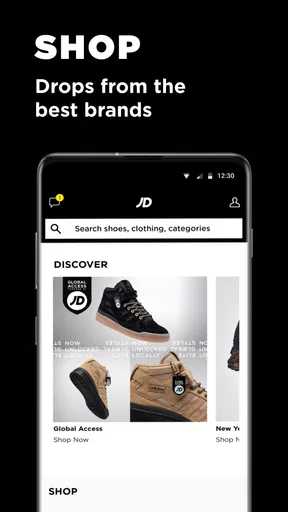
When I opened the app with a clear goal, such as looking for basketball sneakers or workout clothing, the experience felt naturally focused. I could treat it as a mobile shop window rather than a general fashion catalogue. That distinction matters because users who arrive with a product type, brand preference, or release in mind are likely to get more value than someone simply hoping to discover an entire outfit without any plan.
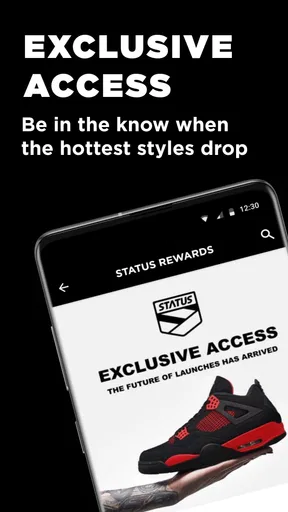
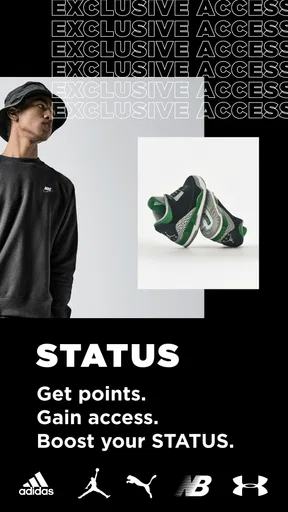
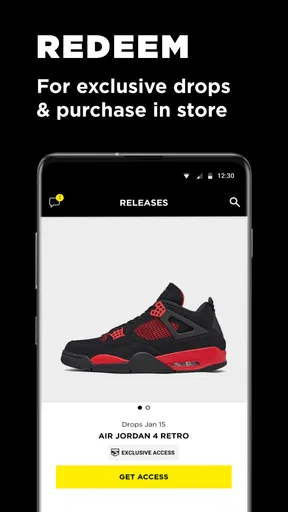
The store summary highlights exclusive releases and rewards, and those two ideas shape the app’s appeal. Exclusive products give regular sneaker shoppers a reason to check the app instead of relying only on a browser, while rewards make it more relevant to people who buy from JD Sports repeatedly. I would not install it solely for one casual purchase unless I already preferred this retailer, but frequent shoppers have a clearer reason to keep it available.
In my experience, the perceived speed of a shopping app comes less from dramatic animation and more from how little effort each step requires. A product page that answers the important questions quickly is more valuable than a flashy home screen. Here, the practical benefit is being able to move from a category to a specific pair or clothing item without turning the process into a long research session.
What I would do before placing an order
I recommend using the app first for discovery and shortlisting, then slowing down before buying. I would check the product images carefully, read the available item information, and confirm the selected size or variation before moving on. This is especially important with sneakers, where the familiar name of a model does not guarantee that its fit will feel the same as another pair already in your wardrobe.
Worth Reading Before You Choose

EA SPORTS FC Mobile 26 Is a Bigger Football Game, but It Takes Time

Flipboard Shows What News Apps Must Do Beyond the Feed

Switching to Android Auto Means Rethinking Your Driving Routine

Google Calendar Makes a Crowded Week Easier to Manage

Ludo King Makes the Most of the Minutes Between Plans

Baby Panda World Brings Quick Play to Modern Phones, but Its Game Library Feels Busy
A useful workflow is to build a small shortlist rather than repeatedly opening random products. I would save the details of the pairs that genuinely interest me, compare their styling and intended use, and only then decide whether an exclusive release or a more practical everyday option makes sense. This reduces impulse buying and makes the app feel more like a personal shopping tool than a stream of tempting images.
My strongest practical tip is to separate browsing from buying. Use the app during a quiet moment to identify suitable products, then revisit the shortlist when you can check sizing, budget, and whether the item is for sport or casual wear. That simple habit is more helpful than rushing through checkout because a product looks appealing on the first screen.
Handling busy shopping moments
The most demanding moments for a retail app are usually not ordinary browsing. They are the times when many shoppers may be checking an exclusive release, refreshing a product page, moving quickly between sizes, or trying to complete a purchase before stock changes. I would approach those situations with realistic expectations. The app gives you a direct shopping channel, but no mobile storefront can remove the pressure created by popular products and limited availability.
For an important release, I would sign in ahead of time if the app offers that option, make sure my account details are current, and avoid waiting until the final step to decide on a size. I would also keep a backup choice in mind. That is not a criticism of this particular app; it is a sensible strategy whenever demand is concentrated around a small number of products.
Heavy use also includes comparing several pairs while connected through a less reliable mobile connection. In that situation, the experience may feel slower simply because product imagery and catalogue information take longer to arrive. I would not judge the app entirely by one crowded commute or a weak signal. At the same time, shoppers should know that a phone with limited free space, an older operating system, or many apps competing for resources may make image-heavy browsing feel less comfortable.
Stability matters more than visual polish
A shopping app earns my trust when it lets me return to what I was doing without losing the thread. For JD Sports shoppers, that means being able to browse trainers, move into clothing, revisit a product, and continue without unnecessary confusion. The app’s usefulness depends on this continuity because shopping decisions are rarely made from one screen. I often compare colour, style, and intended use before I feel ready to order.
The current version is 5.10.0, which indicates that the app has continued through multiple iterations rather than remaining a one-off release. It first appeared on February 3, 2020, so it has had time to develop as a mobile shopping product. That history does not guarantee a perfect experience on every phone, but it does make the app feel like an established part of JD Sports’ digital presence rather than an experimental extra.
My advice is to keep the app updated through the normal store process and restart it if a page behaves strangely. Retail apps depend on live catalogue and account systems, so occasional friction can come from the connection between the app and the retailer’s service rather than from the screen itself. If an important order is involved, I would verify the result in the account area rather than assuming that a single tap completed everything.
Older phones and limited resources
The minimum operating system is Android 7.1, which gives the app a relatively broad reach among Android users. That is helpful for anyone who does not own a recent phone, although operating-system compatibility is only one part of the experience. A device that technically meets the requirement may still feel less responsive if it has limited memory, little free storage, or a tired battery.
Product photography is central to this kind of app, so the main resource demand is likely to appear during image-heavy browsing rather than while reading short text. I would expect a newer phone with a stable connection to feel more comfortable when opening several product pages in succession. On an older device, I would avoid keeping many other demanding apps open at the same time and would give each page a moment to load instead of repeatedly tapping.
For iPhone users, the same general principle applies: the app is most enjoyable when the device has enough free space and the connection is steady. I would also avoid judging performance while the phone is performing a major background task. A slow product image does not necessarily mean the app is unreliable, but repeated delays across different connections would change my view of it.
Who will get the most from it?
This app suits regular JD Sports customers, sneaker fans who want to monitor exclusive releases, and people who prefer shopping for sports clothing from a phone. It is also a sensible choice for someone who wants rewards connected to their JD Sports activity instead of treating every purchase as a separate visit to a website or physical shop.
A realistic everyday example would be a shopper leaving work who remembers needing new training clothes. Rather than visiting several general marketplaces, I would open the app, go directly to workout clothing, narrow the choice to a few practical items, and check the details before deciding whether to buy that evening. The phone format is convenient here because the task is specific and time-limited.
It is less suitable for someone who wants to search every retailer at once, compare the lowest price across the whole market, or buy from many different brands through one neutral marketplace. In those cases, a general shopping app or a browser search may be better. JD Sports’ strength is its own range and shopping ecosystem, not universal comparison.
Rewards and exclusive releases change the value proposition
The rewards angle is important because it can make a retailer-specific app worthwhile even when a mobile browser could display similar products. If I shop with JD Sports only once, the benefit is mainly convenience. If I return regularly, the app becomes a place to keep my shopping activity closer together and to watch for releases that matter to me.
I would still treat rewards as a bonus rather than the sole reason to buy. A reward should not persuade me to choose an unsuitable size, an unnecessary colour, or clothing that does not fit my actual routine. The best use is to combine the programme with a clear shopping plan: decide what I need, check whether the available benefit improves that purchase, and avoid adding items simply to feel that I am making better use of the app.
Exclusive releases create a similar trade-off. They can make the app feel more relevant to sneaker enthusiasts, but they can also encourage rushed decisions. I prefer using the app to prepare—checking the product, thinking about how I would wear it, and deciding on a realistic budget—rather than treating every exclusive launch as something I must own.
How it compares with the usual alternatives
Compared with shopping through a normal mobile browser, the dedicated app feels more purposeful for people who repeatedly visit JD Sports. A browser is better when I want to search broadly, open several retailers in separate tabs, or avoid installing another app. The JD Sports app is better when I want a retailer-specific route to sneakers, sportswear, releases, and rewards.
Compared with a general marketplace, it offers a more focused environment. That focus can reduce distractions and make sense for someone who already trusts JD Sports’ selection. The trade-off is that I lose the convenience of seeing many unrelated sellers, brands, and price points in one place. I would use the app for focused shopping and a general marketplace for broad comparison.
Compared with visiting a physical shop, the app is more convenient for checking products outside opening hours and browsing without travelling. A store remains better when I need to feel a material, judge colours in person, or ask staff for immediate advice. For footwear, especially, an in-person fitting can still be the safer choice when I am unsure about sizing or support.
Small frictions I would keep in mind
The first limitation is that a phone screen cannot replace the physical experience of trying on shoes or examining clothing closely. Product images help, but they do not tell me everything about comfort, stiffness, or how a fabric feels. I would be cautious about buying an unfamiliar sneaker model purely because the app presents it attractively.
The second is the temptation to browse beyond the original purpose. A focused search for workout clothing can easily turn into an unplanned look at trainers and releases. That is part of the fun, but it can also make the app less efficient. I get better results when I decide whether I am shopping for performance, daily wear, or collecting before I start.
The third is that performance depends on the whole setup: phone age, available storage, connection quality, and the retailer’s live services. I found it more useful to think in terms of perceived responsiveness rather than expecting every page to behave identically. A modern device on a dependable connection should provide the smoothest experience, while older hardware may require more patience during image-led browsing.
What the public response suggests
The app holds an average rating of 4.0 from around 3.5 thousand ratings, with roughly 790 written reviews. I see that as a generally favourable but not flawless signal. It suggests that many shoppers find the app useful, while the less-than-perfect average is a reminder that retail experiences can vary according to device, connection, account situation, and expectations around releases or orders.
It has passed 500 thousand installs, giving it a meaningful audience for a retailer-specific shopping tool. I would not treat popularity as proof that every person will enjoy it, but it does support the idea that the app is established enough to be considered by regular JD Sports customers rather than only by occasional visitors.
Cost, age suitability, and practical access
The app is free, so the decision to try it does not require an upfront purchase. The products themselves are, of course, the reason to shop, but installing the app is a low-commitment way to see whether the retailer’s mobile experience suits you. I would remove it if I stopped shopping with JD Sports, but there is little reason not to test it when the retailer is already part of my normal shopping routine.
It carries an Everyone content rating, which fits a mainstream shopping app for footwear and clothing. That makes it broadly approachable for families and general shoppers, although younger users should still have an adult involved in purchase decisions and account details. The rating describes the app’s content, not whether every product is suitable for every personal need.
My performance verdict
After weighing speed expectations, busy shopping moments, stability, and device constraints, I see JD Sports: Shoes & sneakers as a solid specialist shopping app. Its strongest case is not that it replaces every retail option, but that it gives JD Sports customers a direct, focused way to browse sneakers and workout clothing while keeping exclusive releases and rewards close at hand.
I would recommend it to regular shoppers, sneaker enthusiasts, and anyone who values a retailer-specific mobile experience. I would skip it if I mainly want cross-store price comparison, need extensive product testing before buying, or shop at JD Sports too rarely to benefit from a dedicated app. For those users, a browser or general marketplace may be more practical.
My final recommendation is to use it as a focused shopping companion, not as an automatic buying machine. Prepare before popular releases, check sizing and product details carefully, keep your device and connection in mind, and use rewards only when the purchase already makes sense. With that approach, the app feels convenient and purposeful, while its limitations remain manageable.
Pros
- Wide selection of popular sneaker and sportswear brands
- Frequent exclusive releases and limited-edition products
- Convenient order tracking and delivery updates
- Store finder helps locate nearby JD Sports branches
- Personalized offers and member rewards can add extra value
Cons
- Some popular sizes and colorways sell out very quickly
- Exclusive launches may require extra steps or limited entry windows
- Prices can be higher than lesser-known sportswear retailers
- Returns may be less convenient for marketplace or special items
- App notifications can feel frequent during major promotions
FAQs for JD Sports: Shoes & sneakers
What is the JD Sports: Shoes & sneakers app used for?
JD Sports: Shoes & sneakers is a shopping app for browsing and purchasing footwear, clothing, and accessories from popular sportswear and streetwear brands. During testing, the app provided access to trainers, running shoes, hoodies, jackets, and other products, with categories and search tools designed to make finding specific styles easier. Availability, product selection, and prices may vary depending on your country or region.
Can I buy exclusive sneakers and limited-edition products through the app?
The app often features new releases, exclusive products, branded collections, and limited-edition sneakers, although availability can change quickly. Some items may sell out soon after launch, and certain releases can have regional restrictions, purchase limits, or special release procedures. If you are looking for a particular model, it is worth enabling notifications and checking release information regularly rather than assuming every product will remain available.
Does JD Sports offer delivery, store collection, or returns through the app?
Delivery and collection options depend on the market where you use the app and the product selected. In supported locations, you may be able to choose home delivery or collect an order from a participating JD Sports store. The app also provides order information and access to return guidance, but fees, delivery times, collection availability, and return conditions should be checked carefully before completing your purchase.
Do I need an account to place an order in JD Sports: Shoes & sneakers?
Creating an account is generally useful because it can make checkout faster, save delivery details, show order history, and provide access to personalized offers or loyalty features where available. However, account requirements and guest checkout options may differ by country. You should also review the privacy and notification settings, especially if you do not want promotional emails, push notifications, or personalized recommendations.
Is the JD Sports: Shoes & sneakers app free to download and safe to use?
The app is generally free to download, although you naturally pay for any products, delivery charges, or other fees associated with an order. It should be downloaded from the official Google Play Store or Apple App Store to reduce the risk of installing an imitation application. Before purchasing, check the developer name, app permissions, payment screen, customer support details, and the applicable terms for your region.


